Vulnerability Detection
Uncover Hidden Risks with State-of-the-Art Vulnerability Detection Tools!
Vulnerability Detection refers to identifying and assessing security vulnerabilities within an organization’s systems, networks, and applications. It focuses on detecting potential weaknesses that attackers could exploit, evaluating the associated risks, and prioritizing them based on severity. With tools that provide real-time scanning, detailed reports, and actionable insights, Vulnerability Detection helps organizations enhance their security posture by proactively addressing potential threats and reducing the risk of exploitation.
Vulnerability Severity
Real-Time Risk Classification
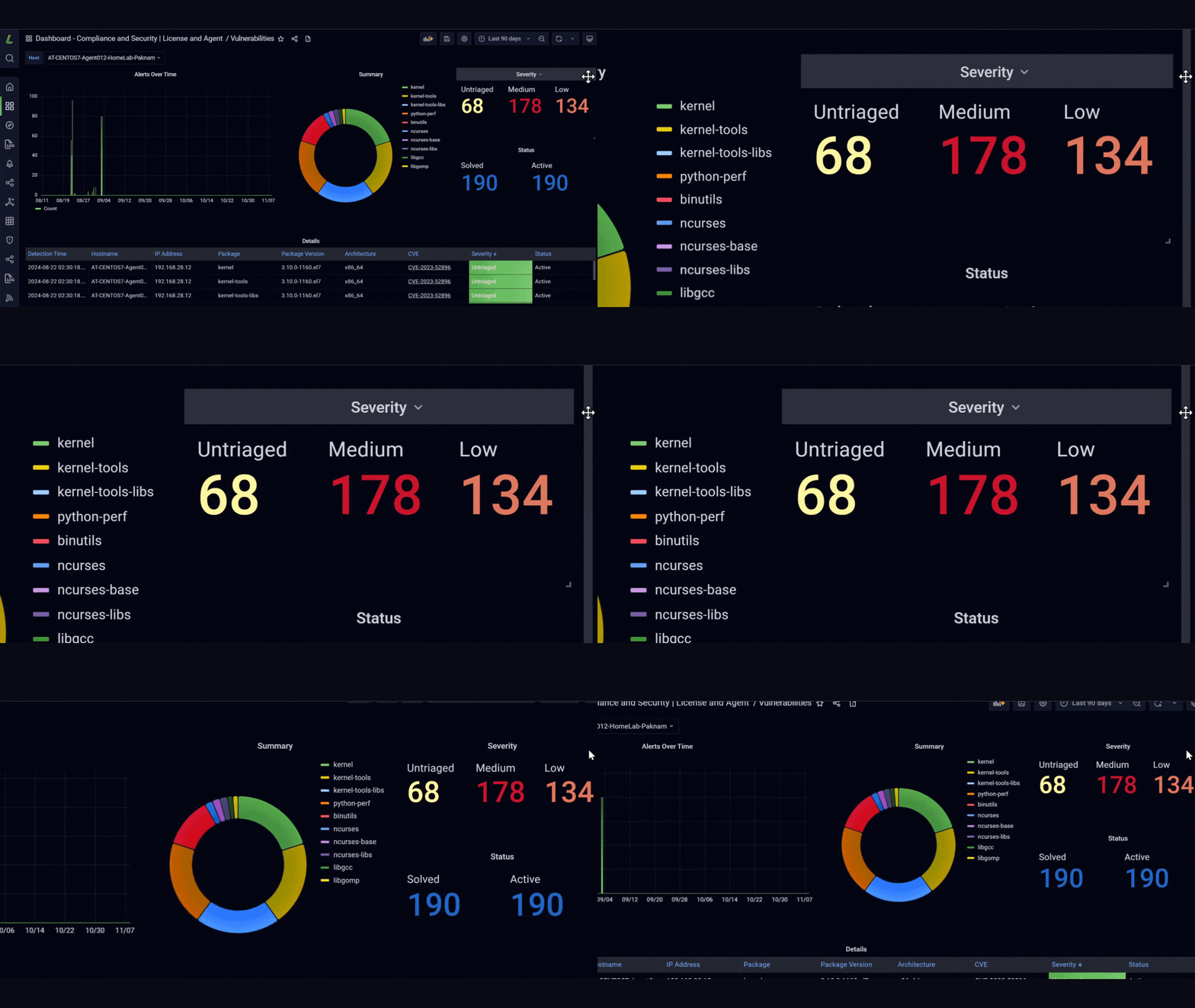
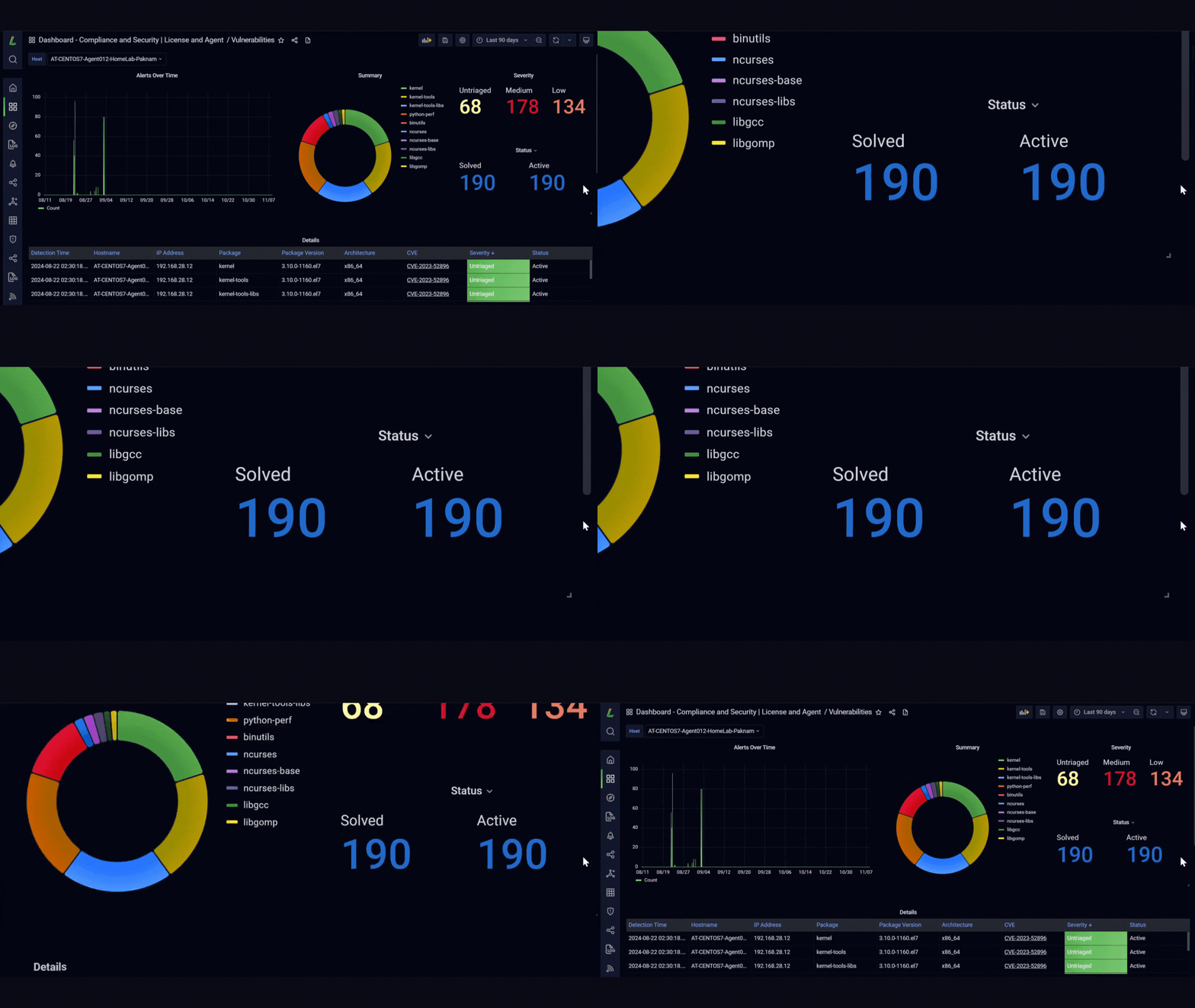
Real-time risk classification displays a clear breakdown of vulnerabilities by severity levels: Untriaged, Medium, and Low. With color-coded indicators, security teams can quickly identify and address vulnerabilities based on severity, ensuring efficient prioritization and response to protect systems.


Vulnerability Summary
Organized Vulnerability Categorization
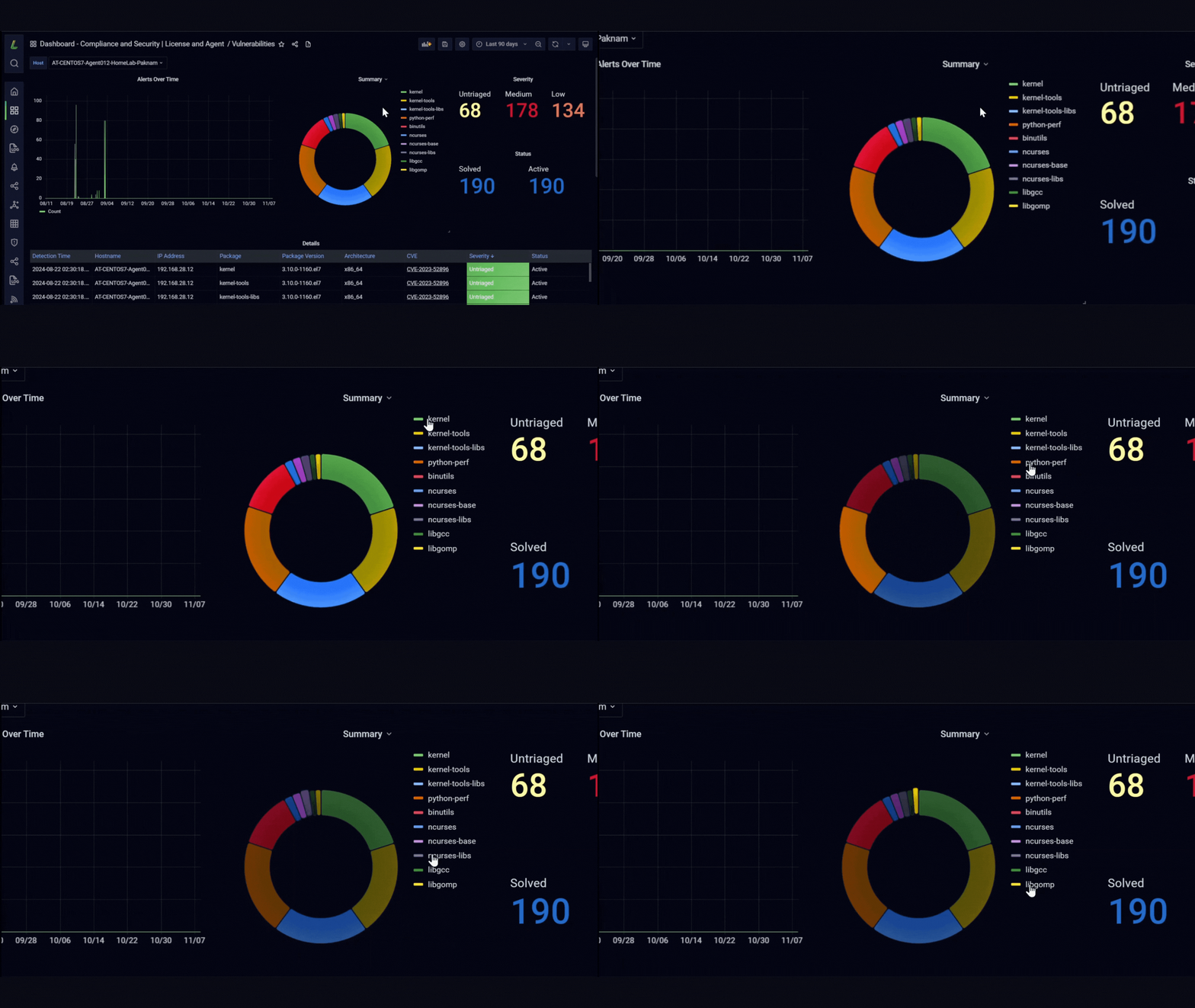
Provides a visual representation of vulnerabilities grouped by affected packages, such as kernel, ncurses, and libgcc, to help streamline the investigation and patching process. This categorization aids in quicker root cause analysis and supports structured vulnerability management.
Alerts Over Time
Trend Analysis for Proactive Security
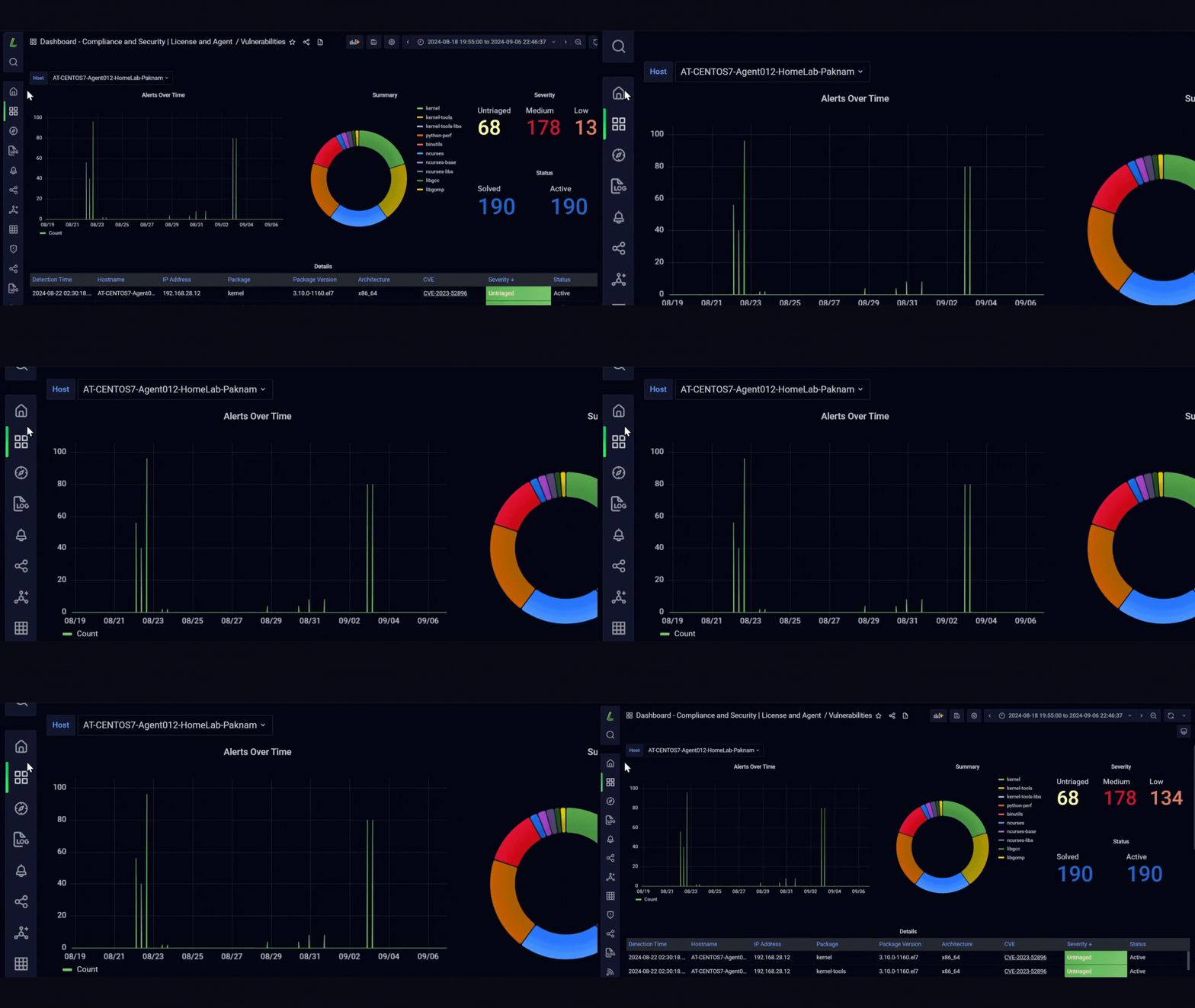
Tracks and visualizes alert trends over time, allowing teams to monitor patterns in vulnerability occurrences. This feature empowers proactive security measures and enables historical analysis, enhancing overall risk management.


Vulnerability Details Table
Comprehensive Issue Tracking
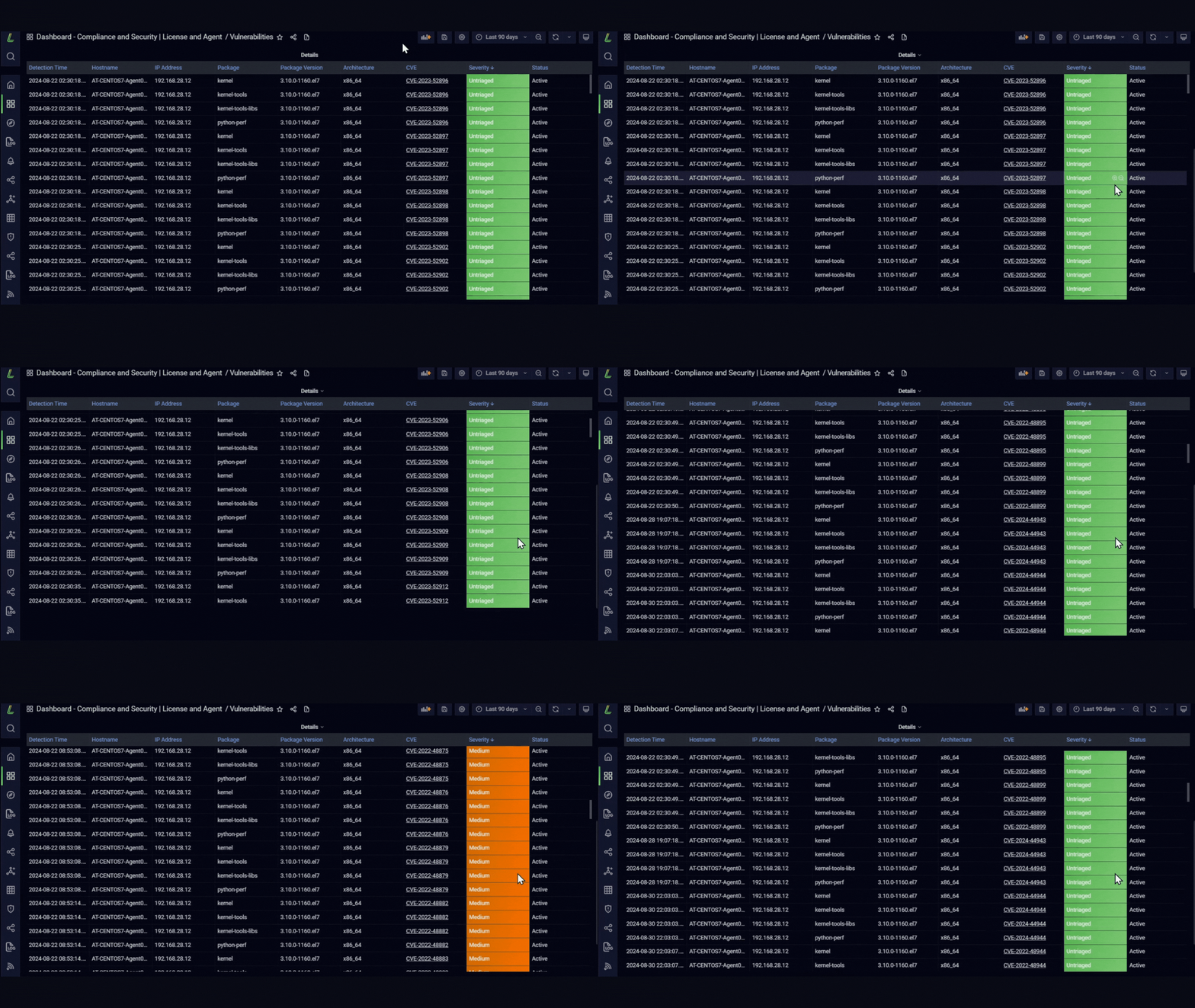
Lists detailed information for each vulnerability, including hostname, IP address, package, version, and CVE details. The structured format allows for easy searching, filtering, and reporting, simplifying vulnerability tracking and resolution efforts.
Vulnerability Status
Monitor Resolution Progress
Tracks the current status of each vulnerability, indicating whether it’s “Solved” or “Active.” This panel provides a clear overview of unresolved issues, helping teams focus on outstanding vulnerabilities and streamline their resolution efforts.